Kik — Messaging & Chat App
- 2.7
- Rating
- 100.00M
- Installs
- Free
- Price

 Analysis by App-foxy
I approached Kik as a communication app for people who want casual messaging without turning every conversation into a formal social network. It is free to install, aimed at mature users, and built around chatting with friends rather than managing a work profile, a public feed, or a family of connected services. After spending time with it, my impression is mixed but clear: Kik can still be useful when your friends already use it, yet its value depends heavily on the community you bring with you.
The app comes from MediaLab AI - Kik and has been available since 2010, which gives it a much longer history than many chat products that appear and disappear quickly. Its current Android release is version 17.21.0.35551, and it supports devices running Android 7.0 or later. That broad compatibility is practical if you are using an older phone, although the mature age classification is important: I would not treat it as a default messaging choice for children or younger teenagers.
How Kik feels to use today
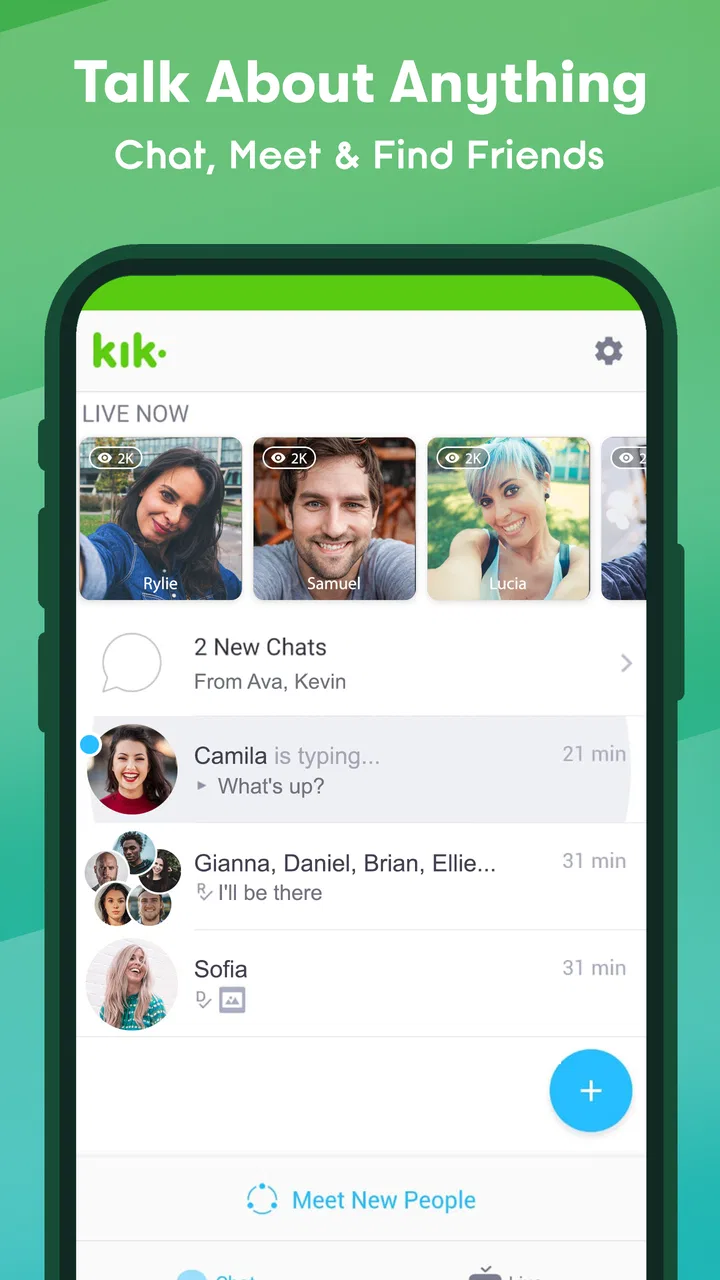
The first thing I noticed is that Kik is easy to understand if your main goal is one-to-one or group conversation. The experience is less about building a polished public identity and more about opening chats, replying when you have time, and keeping several informal conversations moving. That simplicity is its strongest quality. I did not need to learn a complicated workspace, organize channels, or configure a large set of social features before getting value from it.
You May Also Like

 AccuWeather: Weather Radar
AccuWeather Review: A Quick, Clear Forecast for Everyday Decisions
For everyday plans, the best forecast is the one you can understand quickly. AccuWeather makes rain timing, radar, and local conditions easy to act on, with a few trade-offs.

 Hill Climb Racing
Why Hill Climb Racing Still Turns Crashes Into One More Run
A tiny car, a bumpy hill and one more upgrade: Hill Climb Racing keeps resurfacing because its simple chaos makes every near-miss feel personal.

 AliExpress - Shopping App
AliExpress Makes Global Shopping Feel Personal, but Shoppers Bear the Risk
AliExpress turns a global marketplace into a pocket-sized discovery engine. Its reach is useful, its shopping loop compelling, and its trade-offs easy to miss.

 Lords Mobile: Kingdom Wars
Lords Mobile Is a Kingdom-Building Routine, Not a Quick Match
A case-by-case verdict on the building, battles, device demands, and social commitments that make Lords Mobile rewarding for some players and exhausting for others.

 PDF Scanner app - TapScanner
TapScanner Makes Paperwork Easier to Capture, Check, and Share
TapScanner makes scanning with a phone feel less like a rescue operation and more like a dependable step in getting work done. Its capture tools are useful, though not flawless.

 Block Blast!
 Shows How Much a Puzzle Game Can Leave Out
A quiet grid game shows why puzzle players increasingly value instant clarity, repeatable skill and low-pressure play—and where the genre still needs to catch up.
More From Our News Desk
View All News


That does not mean the app feels universally modern. The overall experience depends on how active your contacts are, and a messaging service is only as useful as the people available on it. If your friends, classmates, gaming group, or online community are already on Kik, the app can feel convenient and lively. If they are all using another service, installing it alone does not solve anything. This is the central trade-off, and it matters more here than the feature list.
Kik is listed in the communication category, but I would place it in a particular corner of that category: casual, identity-light social messaging. It is not the first tool I would choose for business coordination, sensitive family communication, or a carefully managed community. For relaxed conversations, meeting people through shared online interests, and keeping a separate messaging identity from your main phone contacts, it makes more sense.
The app has a 2.7 average from around 2.4 million ratings, with roughly 424,000 written reviews and more than 100 million installs. Those figures show that Kik has reached a very large audience, but they also suggest that popularity alone should not be confused with a consistently smooth experience. I read that combination as a reason to try it for a specific purpose rather than assume it should replace every other messenger.
What I liked about the everyday workflow
My favorite use case is a temporary conversation group. Imagine organizing a weekend event with people who do not all want to exchange personal phone numbers. A separate Kik conversation can keep the planning in one place while leaving your regular contacts untouched. That separation is useful for online communities, hobby groups, and casual collaborations where you want to communicate but do not want the relationship to become part of your main address book.
I also found the informal tone helpful. Kik feels more suitable for quick messages, jokes, spontaneous questions, and conversations that do not need the permanence or structure of a workplace platform. If you are switching between several interests, keeping a dedicated chat identity can make it easier to participate without mixing every online connection with family and colleagues.
One practical tip is to decide before joining a new conversation what information you are comfortable sharing. The app’s appeal partly comes from not requiring the same kind of phone-centered relationship as traditional messaging, but that can also make it easier to treat unfamiliar contacts as if they were close friends. I would keep personal details, location information, and private images out of early conversations until trust has been established elsewhere.
Where it differs from the usual alternatives
Compared with phone-number-based messengers, Kik can feel less tied to your existing contacts. That is an advantage when you want distance between personal life and online conversation. The downside is discoverability and trust: a contact may be less immediately recognizable, and the conversation may not carry the same context you get when a person is already in your address book.
Compared with large social platforms, Kik is less dependent on a public feed. I appreciate that when I want to chat rather than scroll through algorithmic posts. On the other hand, a broad social network may make it easier to see shared connections, interests, or activity before starting a conversation. Kik’s lighter structure gives you more privacy from your main social identity, but fewer signals for judging who you are talking to.
Compared with work-focused tools, it is intentionally less formal. You will not choose Kik because you need task ownership, document history, or an organized project record. A service such as a workplace chat platform is better for accountability. Kik is the better fit when the conversation itself is the point and you do not want every exchange to feel like a meeting.
Compared with gaming-oriented chat services, Kik can be more general-purpose. It may work for a gaming group that wants simple text conversation, but a dedicated gaming service will usually be the stronger choice when voice coordination, game-specific communities, or persistent topic channels are essential. I would not force Kik into that role just because a group already uses it for casual messages.
What the current version tells existing users
The current version, 17.21.0.35551, is the release I would evaluate rather than relying on memories of how Kik worked years ago. That distinction matters because long-running communication apps often change their balance between messaging, social discovery, live interaction, and account management. The present product should be judged by the conversations you can have now, not only by its reputation from its earlier years.
For an existing user, the most important question is not whether the app has a long history, but whether your contacts remain active and whether the current interface still supports the way you use it. If your conversations are already established, updating to the current release is the sensible approach. It lets you assess the present experience while keeping your existing social circle in view, instead of abandoning a useful group because the app’s public image feels dated.
I would also review your notification habits after updating. Messaging apps can become exhausting when every group generates constant interruptions, especially if you use Kik for several communities at once. Muting low-priority conversations and checking the app at planned times is a better workflow than allowing every casual message to compete with calls, work, and family alerts.
Another useful habit is to keep important information somewhere else. I would not use a casual chat thread as the only place for an address, reservation detail, shared plan, or file that you may need later. Messaging is excellent for coordination in the moment, but chat history is not the same as a deliberately organized archive. For anything important, copy the final details into a notes app, calendar, or shared document.
Live and social use require more judgment
Kik is presented as more than a basic text inbox, with chatting and live-oriented social interaction part of its identity. That broader scope can make the app feel more active than a simple private messenger, but it also changes the safety questions. A private conversation with someone you already know is a different situation from entering a live social space populated by unfamiliar people.
My advice is to treat live interaction as public-facing even when the interface feels personal. Avoid assuming that a friendly conversation equals a verified identity. Do not share passwords, financial details, exact routines, or images that could create problems if copied. If a conversation quickly becomes pressuring, sexual, threatening, or focused on moving you to another service, I would end it rather than trying to negotiate with the person.
The mature 17+ classification should be taken seriously by families. I would not install Kik for a child simply because it is free or because friends use it. Parents considering it for an older teenager should talk about unknown contacts, image sharing, blocking, reporting, and the difference between a username and a trustworthy identity. The age label is not a substitute for supervision, but it is a clear signal that the app is not designed as a child-first messenger.
This is also where Kik may be the wrong choice for users who need strong institutional control. A school, club, or youth organization may be better served by a moderated platform with clear membership management and adult oversight. Kik can support informal social contact, but I would not make it the foundation for a setting where safeguarding and accountability are the primary requirements.
Costs, compatibility, and the practical decision
The app itself is free, which makes trying it relatively easy. There are in-app purchases ranging from $0.99 to $99.99 per item, so I would still check the purchase flow carefully before spending money. Free access is useful if you only need ordinary communication, but the presence of optional purchases means I would not assume every social or live-oriented part of the experience is included in the same way.
Android 7.0 support is another practical strength for people with older devices. It may help if you are keeping an aging phone for messaging or using a handset that cannot run the newest operating system. At the same time, compatibility does not guarantee that every older device will feel equally fast or comfortable. If your phone struggles with other modern apps, I would test Kik with notifications, media, and several active chats before making it your main messenger.
Because the developer is MediaLab AI - Kik, I would look at the developer name carefully when installing and updating. That simple check helps avoid confusing the official app with unrelated copies or similarly named tools. I would also confirm that the version shown on your device matches the current release you intend to use, particularly if you are troubleshooting behavior after an update.
Who should choose it, and who should skip it
I can recommend Kik to someone whose friends already use it, who wants casual messaging separate from a phone-contact list, or who participates in online communities where Kik is the established meeting point. It is also reasonable for a mature user who prefers a lighter social identity and does not need professional collaboration tools.
I would steer you elsewhere if you need dependable work records, advanced moderation, family-first safeguards, or a communication app that all your contacts already have by default. I would also skip it if you are uncomfortable with conversations involving unknown people or if you want every contact to be strongly connected to a verified phone identity. In those cases, a different messenger may offer a better balance of trust, organization, or control.
For someone deciding whether to install it, I suggest starting with one concrete purpose instead of joining every available conversation. Invite a small group, test how quickly people respond, check whether notifications fit your routine, and see whether the app handles the type of media and coordination you actually need. That short trial will tell you more than the install count or the app’s long history.
What I would watch as Kik continues evolving
The next meaningful test for Kik is whether its messaging remains useful while its social and live elements continue to shape the product. I would watch for improvements that make conversations easier to manage without turning the app into another crowded social feed. Clearer control over who can contact you, better ways to separate trusted friends from new acquaintances, and sensible notification management would have a direct effect on daily comfort.
I would also pay attention to how the app serves long-time users. A product that has existed since 2010 carries accumulated expectations, and major changes can either refresh the experience or make familiar workflows harder. Existing users need evolution that adds value without making ordinary chats feel unnecessarily complicated. New users, meanwhile, need enough active participation to understand why Kik is worth adding when their phone already contains other messengers.
My final view is that Kik remains a specific tool rather than an automatic replacement for every chat app. Its strongest argument is the combination of casual conversation, a separate social identity, and a large history of adoption. Its weakest point is the dependence on an active, trustworthy community around you. I would try it when a real group or use case points me there, keep personal boundaries firm, and choose something else when organization, verification, or family safety matters more than informal connection.
FAQs for Kik — Messaging & Chat App
01What is Kik Messenger, and what can I use it for?
Kik is a messaging and chat app designed for sending text messages, photos, videos, GIFs, stickers, and other shared content. You can communicate privately with individual contacts or participate in group conversations. The app is also known for allowing registration with a username rather than requiring your phone number, which can appeal to users who want more control over what personal information they share.
02Does Kik require a phone number to create an account?
Kik traditionally allows users to register with an email address, username, and password instead of using a phone number. This can make the service feel more private than some messaging platforms, but it does not guarantee complete anonymity. Your profile, conversations, and interactions can still reveal personal information, so you should avoid sharing sensitive details and choose a username that does not identify you unnecessarily.
03Is Kik safe for children and teenagers?
Kik includes messaging and group-chat features, but users may encounter people they do not know, unsolicited messages, inappropriate content, or attempts to obtain personal information. Parents and guardians should discuss online safety, review the app’s privacy settings, and make sure children understand how to block and report accounts. Kik should be used with supervision by younger users, especially in public or unfamiliar chats.
04Can I block or report unwanted users on Kik?
Yes, Kik provides tools intended to help users manage unwanted interactions. You can block accounts that send harassing, suspicious, or unwelcome messages, and reporting options may be available for content or behavior that violates the platform’s rules. Blocking prevents further direct communication from that account, while reporting alerts the service to a potential problem. It is also wise to save evidence before deleting a troubling conversation.
05Is Kik free to download and use on Android and iOS?
Kik is generally available as a free download for supported Android and iOS devices, and its core messaging features do not normally require a subscription. However, standard mobile data charges may apply when using cellular networks, particularly for photos, videos, and voice-related content. Availability, features, and in-app options can change over time, so check the official app store listing before installing.
Pros
- Simple interface makes chats easy to start and manage.
- Supports group conversations for staying connected with several contacts.
- Offers stickers
- GIFs
- and emojis for more expressive messages.
- Includes public groups for discovering conversations around shared interests.
- Works with a username
- so sharing a phone number is not required.
Cons
- Public groups may expose users to spam or inappropriate conversations.
- Some features and content can vary by region or app version.
- Active chats may generate frequent notifications without careful settings.
- Finding trusted contacts can be harder when users are identified by usernames.
- Privacy depends on managing contact
- group
- and notification settings carefully.

Kik — Messaging & Chat App
Gallery